

Logging
The plugin can record outgoing and incoming Mailstep requests. A record is always saved whenever an error occurs, or if you turn on error tracking.
Enable logging of all requests
Section titled “Enable logging of all requests”If you want to record all requests (for example during a fresh deployment of the plugin), go to the settings in WooCommerce → Settings under the Mailstep tab and tick Enable logging.

Enable error logging
Viewing the log
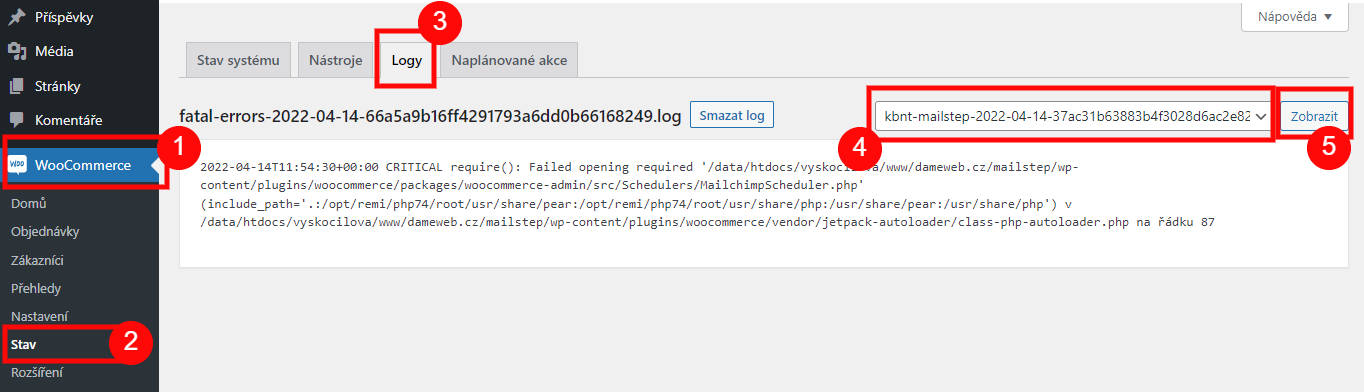
Section titled “Viewing the log”You either click through to the record from the plugin settings via the “View log” link (see the image above), or via WooCommerce → Status → Logs, where you select the correct log (mailstep) with the correct date from the dropdown.

Was this page helpful?
Thanks for the feedback!
Sorry to hear that. Tell me what was missing and how I can help →