

Plugin installation
You can handle the simple installation and activation in under two minutes. I’ll gladly guide you through the whole process in a short tutorial video.
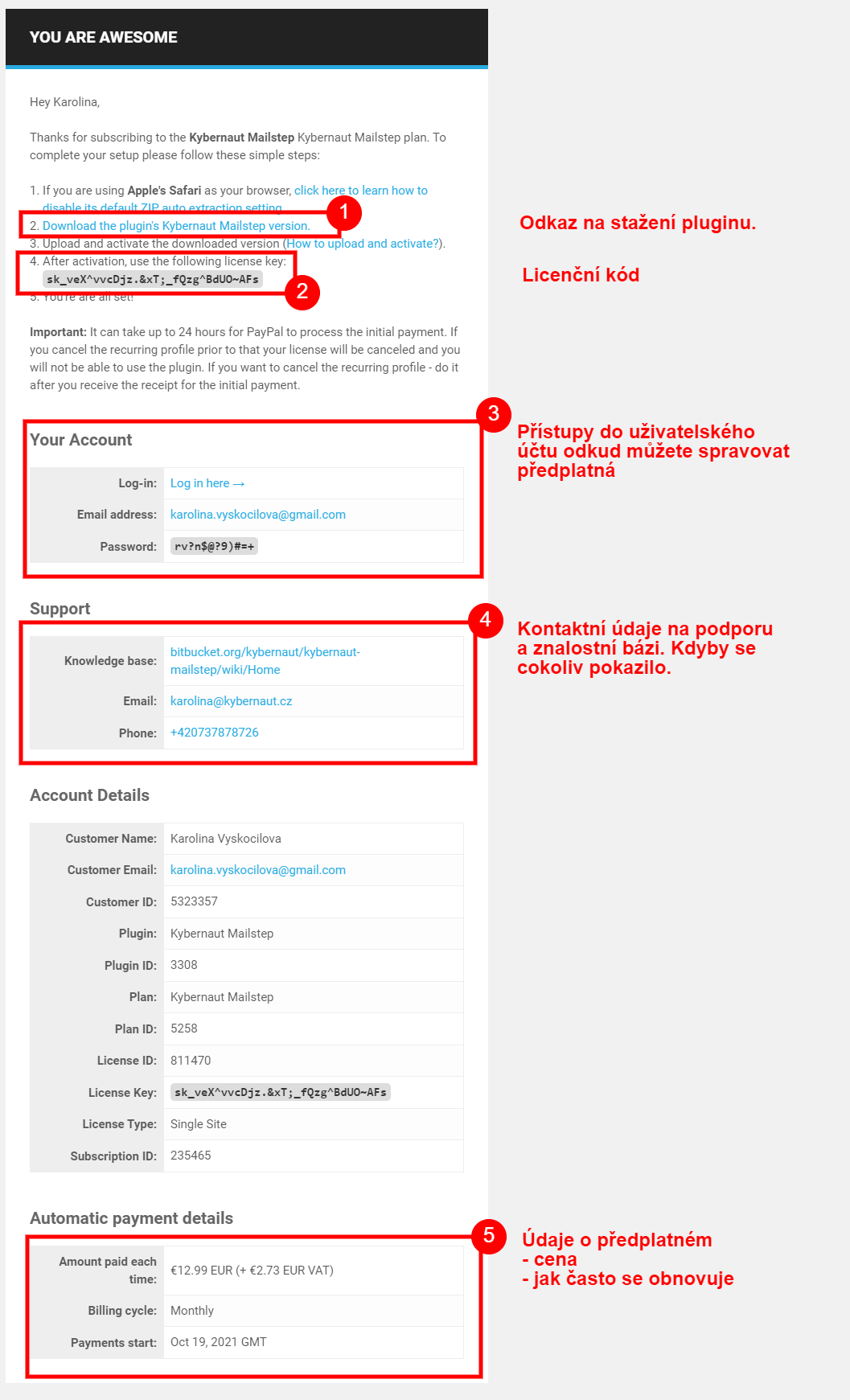
The email with your details
Section titled “The email with your details”When you purchased the plugin, you received a thank-you email for your subscription from Freemius (Who is Freemius?) with the subject “Thanks for subscribing”.
It contains all the important information:
- a download link for the plugin
- your license key
- login details for your account
- the documentation address and support contacts
- your subscription details
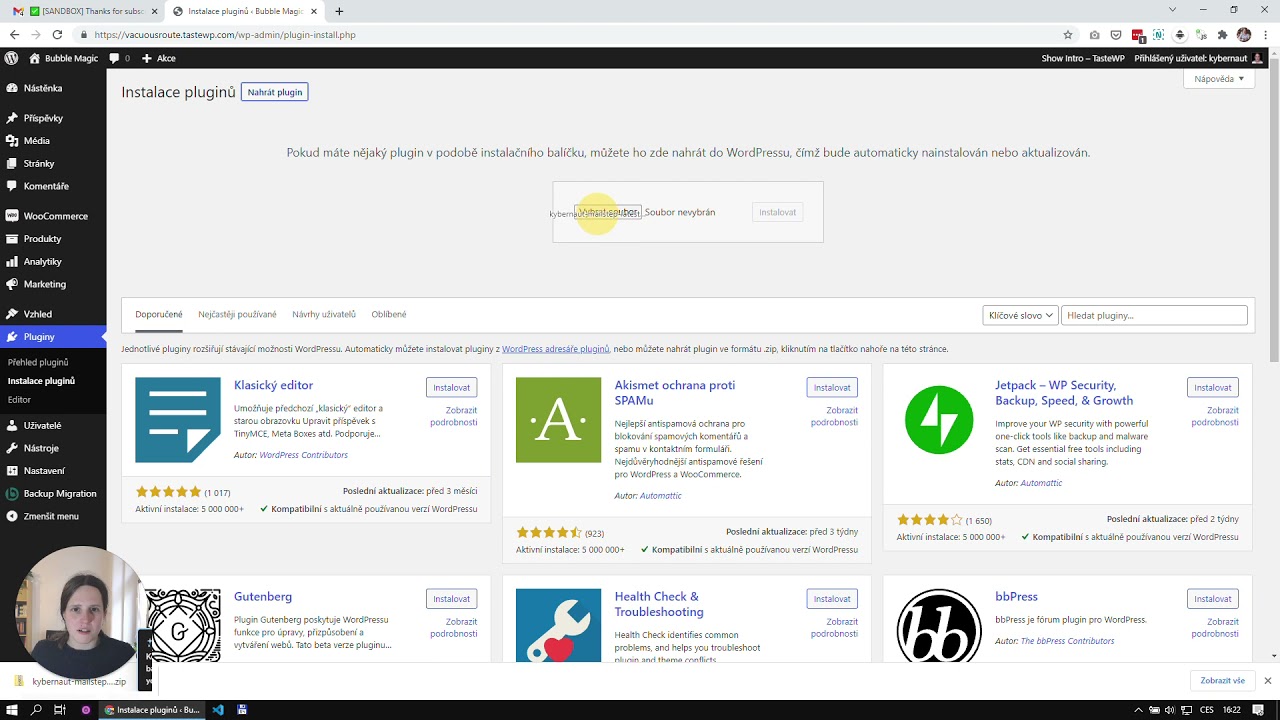
Uploading the plugin to WordPress and activating the license
Section titled “Uploading the plugin to WordPress and activating the license”- Download the plugin’s zip file from the email (see above, point 1) and do not unzip it.
- Log in to your WordPress admin, go to the Plugins tab and choose Add New.
- Click the Upload Plugin button, which you’ll find right next to the page heading.
- Select the installation file and click the Install Now button.
- Once installed, you can activate the plugin right away with the Activate Plugin button.
- You’ll then be prompted to enter your license key.
After that you’ll be redirected to the plugin settings, which I cover in a separate article.

Was this page helpful?
Thanks for the feedback!
Sorry to hear that. Tell me what was missing and how I can help →